
Choosing the Right WordPress Hosting for SEO Performance

Your WordPress hosting provider isn’t just a place to store your website, it’s the foundation of your entire SEO strategy. While most site owners obsess over keywords and backlinks, your hosting provider plays a direct role in your SEO success, as a reliable host improves site performance and user experience, both of which are ranking factors in Google’s algorithm. The harsh reality? You can have the best content, perfect on-page SEO, and a strong backlink profile, but if your hosting is slow or unreliable, you’re fighting an uphill battle. Let’s explore what truly matters when selecting WordPress hosting for maximum SEO performance in 2025. Why Your Hosting Choice Directly Impacts SEO Rankings Google confirmed that site speed is a ranking factor, and fast servers reduce bounce rates and improve crawl efficiency. But the relationship between hosting and SEO runs deeper than just speed. Your hosting infrastructure affects three critical areas: Core Web Vitals Performance: Core Web Vitals are Google’s three key metrics – Largest Contentful Paint (LCP), Interaction to Next Paint (INP), and Cumulative Layout Shift (CLS)—that measure page speed, responsiveness, and stability. Your web hosting provider plays a significant role in how well your site performs on Core Web Vitals, with slow hosting dragging down LCP scores and underpowered servers causing poor INP metrics. Server Response Time (TTFB): Slow server responses can hinder all Core Web Vitals metrics. A quality host delivers Time to First Byte under 200ms, while budget shared hosting often exceeds 800ms, giving competitors a massive head start. Uptime and Reliability: When your site goes down, search engine crawlers can’t access your content. Repeated downtime signals to Google that your site isn’t reliable, potentially impacting your rankings and certainly affecting user trust. I recommend Hostinger Hosting Provider as they have you covered in all of these areas with a reasonable price. The Four Types of WordPress Hosting (And Which Ones Actually Matter for SEO) Not all hosting is created equal. Understanding the differences helps you make an informed decision that aligns with your SEO goals and budget. Shared Hosting: The Budget Option Shared hosting means your website shares server resources with dozens (sometimes hundreds) of other sites. It’s the cheapest option, typically starting around $3-10/month. SEO Impact: Generally negative for anything beyond small hobby sites. When other sites on your server experience traffic spikes, your site slows down. You have limited control over server configuration, and resources are often severely constrained. Best for: Brand new sites with under 1,000 monthly visitors who need to minimize costs while building content. VPS (Virtual Private Server) Hosting: The Middle Ground VPS hosting provides dedicated resources on a shared physical server. You get guaranteed RAM, CPU, and storage that other sites can’t touch. SEO Impact: Significantly better than shared hosting. VPS hosting offers better performance and security than shared hosting, with consistent load times and the ability to handle traffic spikes without performance degradation. Best for: Growing sites with 5,000-50,000 monthly visitors who need reliable performance without enterprise costs. Managed WordPress Hosting: The Performance Choice Managed WordPress hosting is specifically optimized for WordPress sites, with the hosting company handling updates, security, caching, and technical optimization. WP Engine is built around WordPress and delivers faster, more secure, and scalable hosting, with sites loading in just over half a second even without extra optimization. These specialized hosts understand WordPress architecture intimately and optimize every layer of the stack for it. SEO Impact: Highly positive. You get WordPress-specific caching, automatic performance optimization, built-in CDNs, and enterprise-level security. Managed hosting services handle automated software updates, daily backups, and server maintenance, allowing you to focus on growth and content strategy rather than technical work. Best for: Serious businesses, e-commerce sites, and anyone prioritizing SEO performance with budgets starting around $30-100/month. Cloud Hosting: The Scalable Solution Cloud hosting distributes your site across multiple servers, providing redundancy and the ability to scale resources instantly. SEO Impact: Excellent for sites with variable traffic. Cloud hosting handles traffic spikes gracefully, maintains consistent performance, and offers geographic distribution for faster load times worldwide. Best for: Sites with unpredictable traffic patterns, seasonal businesses, or those serving international audiences. The Essential Hosting Features That Actually Move the SEO Needle When evaluating hosting providers, focus on these concrete performance indicators rather than marketing promises: 1. Server Response Time and Core Web Vitals Support Fast server response times reduce page load time, with Google favoring websites that load in under 2.5 seconds and work well on mobile devices. Look for hosts that specifically mention Core Web Vitals optimization and provide performance metrics. Request real-world Time to First Byte (TTFB) data. Quality hosts consistently deliver under 200ms, while poor hosts often exceed 500ms. 2. Built-In Caching and CDN Integration Built-in CDN globally, high-level caching, and quality themes ensure that your site performs excellently on all devices and locations. Server-level caching (like LiteSpeed Cache or Redis) dramatically reduces database queries and PHP execution time. A Content Delivery Network (CDN) caches your static content across global servers, reducing latency for visitors far from your origin server. Many premium hosts include CDN integration at no extra cost. 3. Modern Server Technology Your hosting stack matters more than you might think: Modern hosting with HTTP/3 reduces latency, improving LCP and INP metrics, giving your site a performance advantage. 4. SSL Certificates and Security Features Google favors websites that use HTTPS, with free SSL certificates being essential for running sites securely. Your host should provide automatic SSL certificate renewal, malware scanning, and DDoS protection as standard features, not expensive add-ons. 5. Guaranteed Uptime SLA 99.9% uptime ensures your site is consistently available, which is critical for both user experience and search engine crawling. Calculate what 99.9% uptime actually means: it allows for about 43 minutes of downtime per month. Premium hosts often guarantee 99.95% or higher. Making the Right Choice: A Decision Framework Your ideal hosting depends on your specific situation. Here’s how to choose: If you’re just starting out (under 5,000 monthly visitors): If you’re growing (5,000-50,000 monthly
Top 6 WordPress Plugins for your next WordPress Website
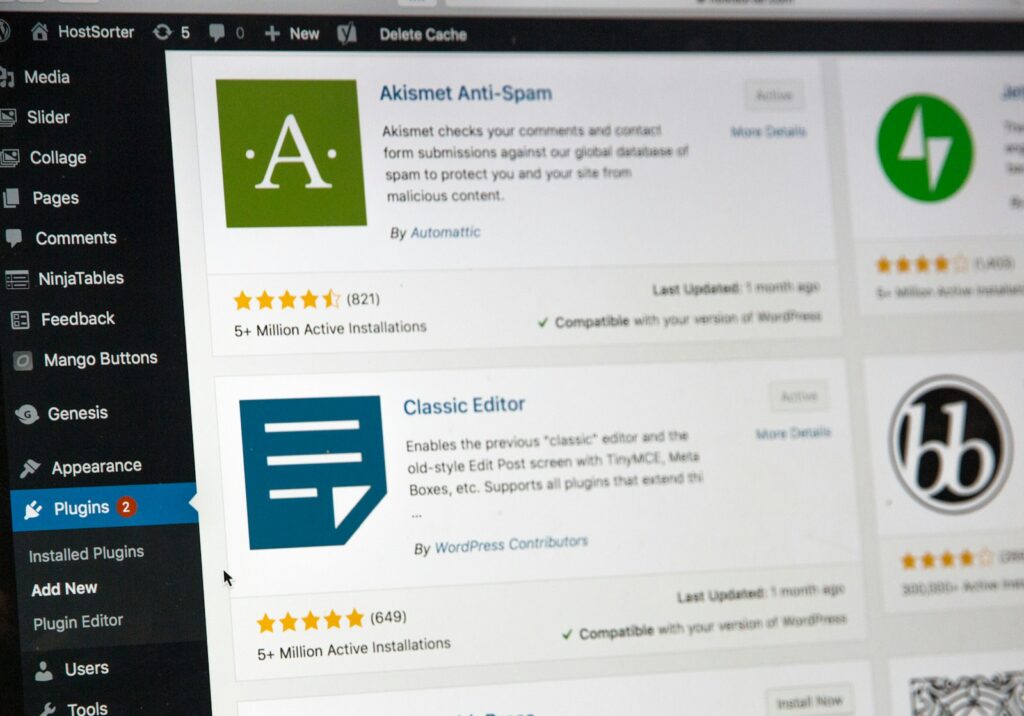
As a developer working under JTCreative, I’m often asked: “What plugins do you recommend for a clean and fast WordPress site?” Not all WordPress plugins are created equal. Some slow down your site, others conflict with themes, and many are just unnecessary. But after years of building sites for creators, businesses, and ministries, I’ve found a reliable stack that balances performance, automation, security, and SEO. Here are the tools I trust on almost every WordPress project I build. 1. LiteSpeed Cache – For Fast, Optimised Websites LiteSpeed Cache is more than just a caching plugin. It offers advanced features like: It performs best with LiteSpeed web servers (like Hostinger), but still works well with others. Properly configured, it drastically improves loading times and Core Web Vitals scores. JTCreative Tip: Pair with Cloudflare for even faster results. 2. Uncanny Automator – Automation Without Code Think of Uncanny Automator as a no-code automation hub inside WordPress. It connects your plugins and external tools, allowing you to: It’s perfect for creators, small teams, and solopreneurs who want to save time and reduce repetitive tasks. Use Case: I use it to automatically post any new posts published on my christain blog (Beyond Salvation) to my facebook profile. That is just the tip of the iceberg on what you can achieve with automations. 3. Elementor + Royal Addons – Fast, Flexible Page Design Elementor is my preferred page builder for clean, modern layouts. It’s intuitive and allows clients to make changes without breaking their site. To enhance Elementor without bloating it, I use Royal Addons — a lightweight addon pack with essential widgets like grids, tabs, and sliders. JTCreative Tip: Use only one addon pack to reduce conflicts and keep your site fast. 4. Wordfence – Security You Can Rely On Security is critical. Wordfence is my go-to plugin to protect client sites from brute force attacks, malware, and suspicious traffic. Features include: It’s easy to set up and keeps your site protected without getting in the way. 5. UpdraftPlus – Set-and-Forget Backups Every website needs a solid backup plan. UpdraftPlus lets you: I install this on every site I manage. It’s saved hours of work when things go wrong. Pro Tip: Always back up before running updates. 6. Rank Math – SEO Made Simple Rank Math is a powerful SEO plugin that’s lightweight, intuitive, and packed with features. I use it on every site to ensure proper indexing and optimisation. Features include: It integrates well with Elementor and works smoothly with AI-generated content. JTCreative Tip: Use the analytics module to track keyword performance and clicks from inside your dashboard. Conclusion If you want your WordPress site to be: …this toolkit is a great place to start. These are the same tools I use every day at JTCreative — not because they’re trendy, but because they work. They’re reliable, lightweight, and designed to scale as your website grows. Need help putting all the pieces together?I don’t just build sites — I build systems that support your goals. Let’s chat about your project or view my WordPress services.
Why WordPress Is Still the Best Choice for Small Businesses in 2025
If you’ve been paying attention to the world of website building, you know things move fast. There’s always a new platform, drag-and-drop builder, or trendy AI tool making big promises. The past year alone has seen the industry shaken by high-profile drama – remember the Matt Mullenweg and WP Engine headlines? – as well as a flood of new no-code website builders and AI-powered design assistants all claiming to be the “best solution for small businesses.” With so much noise, it’s perfectly reasonable to wonder: Is WordPress still worth it in 2025? After building sites for dozens of South African and international small businesses, I can confidently say: Absolutely, yes. Here’s why WordPress continues to dominate and outshine the competition in 2025, especially for small business owners seeking value, growth, and control. 1. Cost-Effective, Flexible, and Scalable Affordability is crucial for small businesses. WordPress itself is free and open-source, which means you own the core platform with no ongoing software fees. Your only essential investment is reliable hosting—something you can source locally or globally, tailored to your budget. As your business grows, your website can too. Unlike restrictive website builders (which often require you to upgrade or switch plans for advanced features), WordPress lets you add new functionality, scale traffic, or even transform your site into a complex membership platform or eCommerce store—without starting over. This scalability ensures you’re making a future-proof investment. 2. User-Friendly for Beginners and Non-Techies One of the biggest fears for small business owners is getting stuck with a website they can’t update. With WordPress, that risk is virtually non-existent. The WordPress dashboard is designed for real people, not just developers. With a little training, even a first-time user can confidently update content, add new services, or launch blog posts—saving money on developer fees and keeping content fresh for better SEO. 3. Unlimited Customisation with Plugins & Themes No two businesses are the same, and your website shouldn’t be either. WordPress’s ecosystem boasts over 60,000 plugins—from appointment schedulers and live chat to robust eCommerce tools, booking systems, and members-only areas. Want to integrate social media feeds? Automate email marketing? Boost security or add a multilingual option? There’s a trusted, well-reviewed plugin for nearly every need, many of which are free or affordable. For unique business requirements, skilled developers (like me) can create custom plugins, meaning you’re never boxed in by your platform’s limitations. Check out the top 6 wordpress plugins for your next website. 4. SEO Powerhouse for Local and Global Reach A website that can’t be found on Google serves little purpose. WordPress consistently outperforms other platforms when it comes to SEO. Here’s why: Advanced features make it easy to create XML sitemaps, optimize images, structure content for featured snippets, and improve load speeds—all factors Google rewards. Whether you’re serving local customers in Berea or competing globally, WordPress provides the tools to get your business discovered. 5. Unmatched Ownership and Control With WordPress, you’re in the driver’s seat. Unlike popular website builders or SaaS platforms where you’re simply “renting” a spot online, WordPress gives you complete ownership: This level of control is critical for small businesses who want to build an independent digital presence that grows in value over time. 6. Thriving Community & Long-Term Support WordPress isn’t just a tool—it’s the world’s largest website platform, powering over 40% of all websites globally. That means: Trendy new builders might come and go, but WordPress’s longevity, support, and active community make it a reliable bet for all stages of your business journey. Final Thoughts: WordPress Wins for Small Businesses in 2025 The web landscape is always changing, but WordPress remains the champion for small business websites. Its blend of affordability, flexibility, SEO strength, customization potential, and total control simply isn’t matched by any other platform in 2025. Thinking about building or upgrading your small business website? Let’s connect. As a seasoned WordPress developer, I help businesses across South Africa build web solutions that attract customers, generate leads, and grow sales—even in a competitive online world. Your business deserves a website that works as hard as you do. Choose WordPress—and let’s get started.